
Accessories > General Accessories
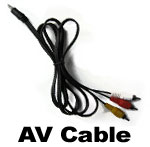
If your using your camera kit in a few places you might need an extra AV cable to avoid refitting it each time.
The AV cable is what connects the recording device to the camera, it is a small jack plug on one end with 3 plugs on the other, yellow for video with red and white for audio.
Please select your model of DVR from the drop down menu (right) to ensure you receive the correct cable!
DV1 & DV4 (2.5mm jack plug)
DV2 & DV3 (3.5mm jack plug)

Our Booster pack consists of a an extension lead for both the video and power connections from the camera. It is available in 3 lengths:
1 metre |
2 metres |
| 3 metres |
| 5 metres |
Using the 4K Booster extends your cabling allowing you to mount the camera in hard to reach areas while having your battery pack and recording device in a more convenient place.
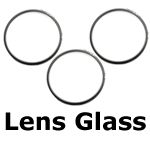
If you've had an accident or similar using your camera you may need to replace the glass protecting lens. Supplied here is a pack of 2 replacement lens glasses to fit both the 4Kam and 46Kam.
To replace the lens glass first unscrew the lens cover, taking care not to damage to the decals. Then unscrew the glass retainer inside the lens cover and replace as required.
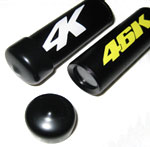
Protective lens cover for your camera.
Rubber shield to keep your camera safe when not in use. Essential for vehicle mounted cameras. Simple push fit seal.
Choose diameter size required:
23mm (standard camera size)
19mm ('Connect' camera size)
Sale includes 1 x lens cover.
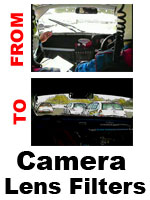
If you use your camera in bright sunlight or have have found that part of your image over exposed then you may benefit from using a lens filter or two.
The Lens Filter pack includes a sheet of 4Kam lens filter, instructions for use and required camera templates. While the pack has been designed for use with 4Kam products the filter will work on other cameras too.
The filters are especially good for use on in-car cameras when the inside of the cockpit looks fine but the view through the windscreen appears too bright. Using 1 or more lens filters will reduce the amount of light and enable you to see through the windscreen correctly.
Also consider our Dominator Camera which is fully controllable for brightness and contrast setup.
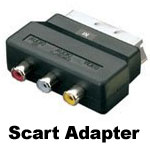
If you want to watch back or copy videos using standard TV equipment you may need our Scart Adapter.
It allows you to connect the AV cable from your DVR directly to the scart input on your TV so that you can watch the video playback. You can also connect it into your Video Recorder or DVD Recorder which will then mean you can copy the footage to other media.
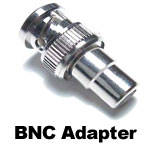
As used with the Quattro Processor and some of our cameras this silver adapter plug converts the 2 pin BNC connetor into the regular phono (RCA) fitting.
Over time these connectors can wear so if you need a repalcement or perhaps want a few spares this is for you.
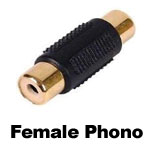
As supplied with many of our items the female to female phono (RCA) connector is a very handy part.


Access to and use of this website is subject to our Terms & Conditions and Privacy Policy
© 4Kam Systems, 2006-2020. All rights reserved. 4Kam Systems is a member of the 4K Group and part of Cloud39 Ltd.